基础设施 · 2026年5月24日 · VirtLab
网络虚拟化与云原生:如何在仿真平台中模拟现代数据中心
深入探讨网络虚拟化技术,包括 VXLAN、SDN、容器网络以及在仿真平台中的实验方法。
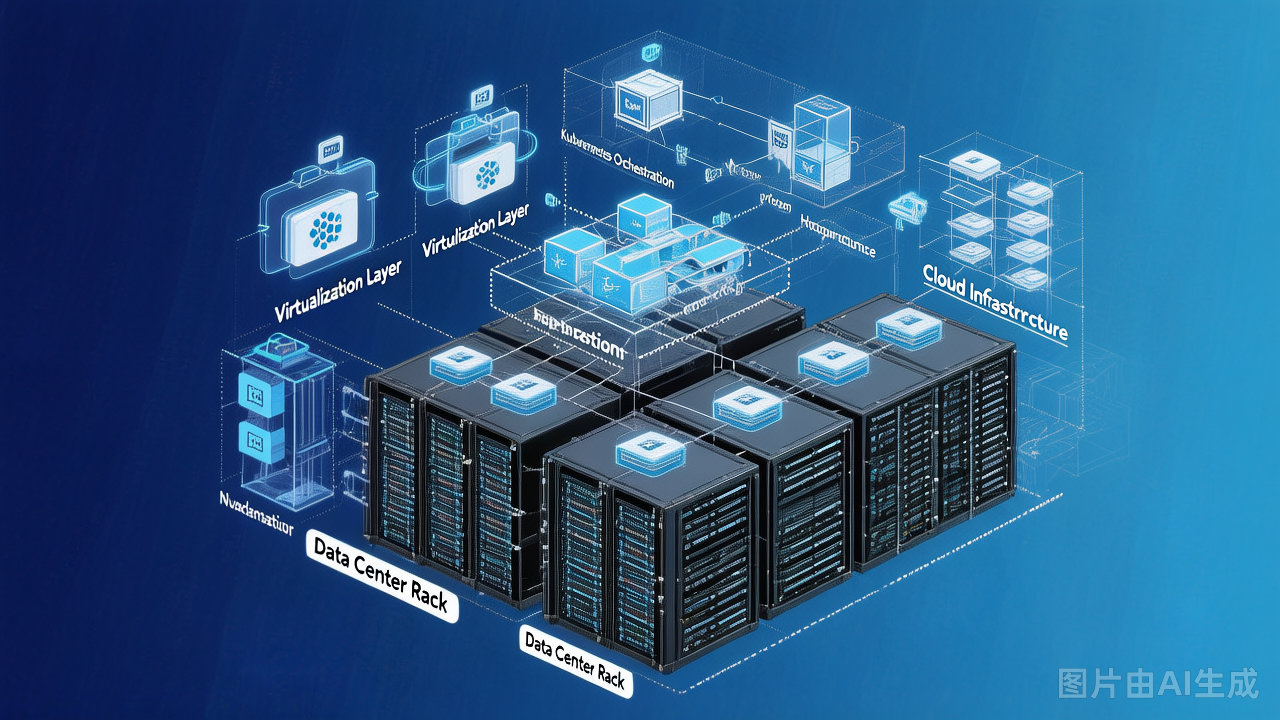
网络虚拟化与云原生:如何在仿真平台中模拟现代数据中心
随着云计算和容器技术的快速发展,网络虚拟化已成为现代数据中心的关键技术。本文将介绍网络虚拟化的核心概念和在仿真平台中的实验方法。
网络虚拟化概述
为什么需要网络虚拟化?
传统数据中心                    云原生数据中心
┌────────────────┐            ┌────────────────┐
│ 物理网络设备    │            │ 虚拟化网络     │
│   ┌─────┐      │            │   ┌─────┐      │
│   │ Router│     │   ===>    │   │ vRouter│    │
│   └─────┘      │            │   └─────┘      │
│   ┌─────┐      │            │   ┌─────┐      │
│   │Switch│     │            │   │vSwitch│   │
│   └─────┘      │            │   └─────┘      │
└────────────────┘            └────────────────┘
     硬件绑定                      软件定义
     静态配置                      动态编排
核心技术对比
| 技术 | 层次 | 厂商支持 | 复杂度 |
|---|---|---|---|
| VLAN | L2 | 普遍 | 低 |
| VXLAN | L2 over L3 | 主流 | 中 |
| NVGRE | L2 over L3 | Microsoft | 中 |
| GENEVE | L2 over L3 | 开放 | 中 |
| STT | L2 over L3 | NIC | 中 |
VXLAN 详解
VXLAN 工作原理
┌─────────────────────────────────────────────────────────┐
│                    VXLAN 封装                            │
│                                                          │
│  ┌────┐   ┌─────────────────┐   ┌─────────────────────┐│
│  │ VM │──▶│ 原始 Ethernet   │──▶│ VXLAN Header (24bit)││
│  │  A │   │ DA: MAC VM B    │   │ VNI: 10000          ││
│  └────┘   │ SA: MAC VM A    │   └─────────────────────┘│
│           └─────────────────┘              │             │
│                                           ▼             │
│                          ┌─────────────────────────────┐│
│                          │    UDP Header (port 4789)  ││
│                          └─────────────────────────────┘│
│                                           │             │
│                                           ▼             │
│                          ┌─────────────────────────────┐│
│                          │      IP Header (outer)     ││
│                          │  SIP: 10.0.0.1             ││
│                          │  DIP: 10.0.0.2             ││
│                          └─────────────────────────────┘│
│                                           │             │
│                                           ▼             │
│                          ┌─────────────────────────────┐│
│                          │      Ethernet Header        ││
│                          └─────────────────────────────┘│
└─────────────────────────────────────────────────────────┘
VXLAN 实验配置
VTEP 配置(Leaf Switch)
! 启用 VXLAN
nv overlay evpn
!
feature nv overlay
feature vxlan
!
! 配置 VNI 到 VLAN 映射
vlan 100
 vn-segment 10000
!
vlan 200
 vn-segment 20000
!
! 配置 NVE 接口
interface nve1
 no shutdown
 source-interface Loopback0
 vpc capability assist
 member vni 10000 head-end replicate
  host-reachability protocol bgp
 member vni 20000 head-end replicate
  host-reachability protocol bgp
!
! BGP EVPN 配置
router bgp 65001
 router-id 10.1.1.1
 neighbor 10.2.2.2 remote-as 65001
 neighbor 10.2.2.2 update-source Loopback0
 !
 address-family l2vpn evpn
  neighbor 10.2.2.2 activate
分布式任播网关
! 配置分布式任播网关
interface nve1
 member vni 10000
  ingress-replication protocol bgp
  multicast-group 239.1.1.1
!
! SVI 配置
interface Vlan100
 vrf member VRF-A
 ip address 192.168.100.1/24
 fabric forwarding mode anycast-gateway
SDN 实验
OpenFlow 架构
┌────────────────────────────────────────────────────┐
│                 SDN 架构                           │
│                                                     │
│  ┌─────────────────────────────────────────────┐   │
│  │           SDN 控制器                        │   │
│  │  (OpenDaylight / ONOS / Ryu)               │   │
│  │                                             │   │
│  │         ┌─────────────┐                     │   │
│  │         │   Northbound │                    │   │
│  │         │   REST API   │                    │   │
│  │         └──────┬──────┘                     │   │
│  │                │                           │   │
│  │         ┌──────┴──────┐                     │   │
│  │         │   Southbound │                    │   │
│  │         │  OpenFlow   │                      │   │
│  │         └─────────────┘                     │   │
│  └───────────────────┬─────────────────────────┘   │
│                      │                             │
│         ┌────────────┼────────────┐                │
│         │            │            │                │
│    ┌────┴────┐  ┌────┴────┐  ┌────┴────┐         │
│    │ Switch  │  │ Switch  │  │ Switch  │         │
│    │   S1    │  │   S2    │  │   S3    │         │
│    └────┬────┘  └────┬────┘  └────┬────┘         │
│         │            │            │                │
└─────────┼────────────┼────────────┼────────────────┘
          │            │            │
     ┌────┴────┐  ┌────┴────┐  ┌────┴────┐
     │   Host  │  │   Host  │  │   Host  │
     │    H1   │  │    H2   │  │    H3   │
     └─────────┘  └─────────┘  └─────────┘
Ryu 控制器实验
#!/usr/bin/env python3
"""
Ryu SDN 控制器 - 简单 MAC 学习应用
"""

from ryu.base import app_manager
from ryu.controller import ofp_event
from ryu.controller.handler import MAIN_DISPATCHER, set_ev_cls
from ryu.ofproto import ofproto_v1_3
from ryu.lib.packet import packet, ethernet

class SimpleMACLearning(app_manager.RyuApp):
    OFP_VERSIONS = [ofproto_v1_3.OFP_VERSION]

    def __init__(self, *args, **kwargs):
        super(SimpleMACLearning, self).__init__(*args, **kwargs)
        self.mac_to_port = {}

    @set_ev_cls(ofp_event.EventOFPSwitchFeatures, MAIN_DISPATCHER)
    def switch_features_handler(self, ev):
        datapath = ev.msg.datapath
        ofproto = datapath.ofproto
        parser = datapath.ofproto_parser

        # 安装表级初始条目
        match = parser.OFPMatch()
        actions = [parser.OFPActionOutput(
            ofproto.OFPP_CONTROLLER,
            ofproto.OFPCML_NO_BUFFER
        )]
        self.add_flow(datapath, 0, match, actions)

    def add_flow(self, datapath, priority, match, actions):
        ofproto = datapath.ofproto
        parser = datapath.ofproto_parser

        inst = [parser.OFPInstructionActions(
            ofproto.OFPIT_APPLY_ACTIONS,
            actions
        )]
        mod = parser.OFPFlowMod(
            datapath=datapath,
            priority=priority,
            match=match,
            instructions=inst
        )
        datapath.send_msg(mod)

    @set_ev_cls(ofp_event.EventOFPPacketIn, MAIN_DISPATCHER)
    def packet_in_handler(self, ev):
        msg = ev.msg
        datapath = msg.datapath
        ofproto = datapath.ofproto
        parser = datapath.ofproto_parser
        in_port = msg.match['in_port']

        pkt = packet.Packet(msg.data)
        eth = pkt.get_protocol(ethernet.ethernet)

        dst = eth.dst
        src = eth.src

        dpid = datapath.id
        self.mac_to_port.setdefault(dpid, {})

        self.logger.info("packet in %s %s %s %s", dpid, src, dst, in_port)

        # 学习 MAC 地址
        self.mac_to_port[dpid][src] = in_port

        # 如果目标已知,泛洪或转发
        if dst in self.mac_to_port[dpid]:
            out_port = self.mac_to_port[dpid][dst]
        else:
            out_port = ofproto.OFPP_FLOOD

        actions = [parser.OFPActionOutput(out_port)]

        if out_port != ofproto.OFPP_FLOOD:
            match = parser.OFPMatch(in_port=in_port, eth_dst=dst)
            self.add_flow(datapath, 1, match, actions)

        out = parser.OFPPacketOut(
            datapath=datapath,
            buffer_id=msg.buffer_id,
            in_port=in_port,
            actions=actions,
            data=msg.data
        )
        datapath.send_msg(out)
容器网络
Kubernetes 网络模型
┌─────────────────────────────────────────────────────────┐
│              Kubernetes 网络模型                        │
│                                                          │
│  Pod Network (10.244.0.0/16)                            │
│                                                          │
│  ┌──────────┐    ┌──────────┐    ┌──────────┐         │
│  │   Pod    │    │   Pod    │    │   Pod    │         │
│  │ web-1    │    │ web-2    │    │ database │         │
│  │          │    │          │    │          │         │
│  │ eth0     │    │ eth0     │    │ eth0     │         │
│  │ 10.244.1.1│   │10.244.2.1│   │10.244.3.1│         │
│  └────┬─────┘    └────┬─────┘    └────┬─────┘         │
│       │               │               │                │
│       └───────────────┴───────────────┘                │
│                    Pod Network                         │
│                                                          │
│  Service (ClusterIP: 10.96.0.0/12)                     │
│  ┌──────────────────────────────────────────┐          │
│  │  web-svc: 10.96.0.100                    │          │
│  │  → 10.244.1.1:80, 10.244.2.1:80         │          │
│  └──────────────────────────────────────────┘          │
└─────────────────────────────────────────────────────────┘
CNI 插件对比
| 插件 | 类型 | 特点 | 适用场景 |
|---|---|---|---|
| Flannel | 覆盖网络 | 简单易用 | 快速部署 |
| Calico | 路由+BGP | 性能高 | 生产环境 |
| Weave | 覆盖网络 | 自动发现 | 开发测试 |
| Cilium | eBPF | 安全透视 | 云原生安全 |
CNI 实验配置
# Calico BGP 配置
apiVersion: projectcalico.org/v3
kind: BGPConfiguration
metadata:
  name: default
spec:
  logSeverityScreen: Info
  nodeToNodeMeshEnabled: true
  asNumber: 64512
---
apiVersion: projectcalico.org/v3
kind: BGPPeer
metadata:
  name: peer-to-router
spec:
  peerIP: 192.168.1.254
  asNumber: 65001
网络功能虚拟化 (NFV)
vRouter 实验
# 使用 Linux 命名空间创建 vRouter
ip netns add vrouter1

# 创建 veth pairs
ip link add veth0 type veth peer name veth0-br
ip link add veth1 type veth peer name veth1-br

# 将接口添加到命名空间
ip link set veth0 netns vrouter1

# 在 vRouter 中配置
ip netns exec vrouter1 ip addr add 192.168.1.1/24 dev veth0
ip netns exec vrouter1 ip link set veth0 up
ip netns exec vrouter1 sysctl -w net.ipv4.ip_forward=1

# 添加路由
ip netns exec vrouter1 ip route add 0.0.0.0/0 via 192.168.1.254
vSwitch 配置
# OVS 创建和配置
ovs-vsctl add-br br0
ovs-vsctl add-port br0 eth0
ovs-vsctl add-port br0 vnet0

# 配置 OpenFlow 规则
ovs-ofctl add-flow br0 "in_port=1,actions=output:2"
ovs-ofctl add-flow br0 "in_port=2,actions=output:1"

# 查看流表
ovs-ofctl dump-flows br0
现代数据中心实验拓扑
┌─────────────────────────────────────────────────────────────┐
│                     数据中心网络拓扑                          │
│                                                               │
│  ┌─────────────────────────────────────────────────────────┐ │
│  │                    Underlay Network                     │ │
│  │                                                          │ │
│  │    ┌─────┐         ┌─────┐         ┌─────┐              │ │
│  │    │Leaf1│─────────│Spine│─────────│Leaf2│              │ │
│  │    └──┬──┘         └──┬──┘         └──┬──┘              │ │
│  │       │              │              │                   │ │
│  └───────┼──────────────┼──────────────┼───────────────────┘ │
│          │              │              │                      │
│          └──────────────┴──────────────┘                      │
│                         │                                    │
│  ┌──────────────────────┼──────────────────────────────────┐ │
│  │         Overlay Network (VXLAN)                        │ │
│  │                                                          │ │
│  │   ┌───────┐   ┌───────┐   ┌───────┐   ┌───────┐       │ │
│  │   │ VNI   │   │ VNI   │   │ VNI   │   │ VNI   │       │ │
│  │   │ 10000 │   │ 10000 │   │ 20000 │   │ 20000 │       │ │
│  │   └───┬───┘   └───┬───┘   └───┬───┘   └───┬───┘       │ │
│  │       │           │           │           │             │ │
│  │   ┌───┴───┐   ┌───┴───┐   ┌───┴───┐   ┌───┴───┐       │ │
│  │   │  VM   │   │  VM   │   │  Pod  │   │  Pod  │       │ │
│  │   │ Web   │   │  App  │   │  NGINX│   │  App  │       │ │
│  │   └───────┘   └───────┘   └───────┘   └───────┘       │ │
│  └──────────────────────────────────────────────────────┘ │
│                                                               │
└───────────────────────────────────────────────────────────────┘
总结
网络虚拟化是现代数据中心的基础,掌握 VXLAN、SDN、容器网络等核心技术对于网络工程师至关重要。通过在仿真平台中多实践这些技术,您将更好地理解现代数据中心的架构和运作方式。
#虚拟化
#VXLAN
#SDN
#容器
#数据中心